In this guide: 4 parts
1. Add the person
In Settings, open Users (in the list on the left or in Most used). At the top you see how many of your plan's users you've used and how many you have left. Tap Add person.
Fill in Full name and Email.
2. Choose their role and their team
In Role you choose Administrator, Manager, Agent or View only, and in Team, which one they join.
Before saving, When you save sums up what's going to happen. For them to get customers, their role has to be the one for agents, they have to be on a team and they have to have signed in once.
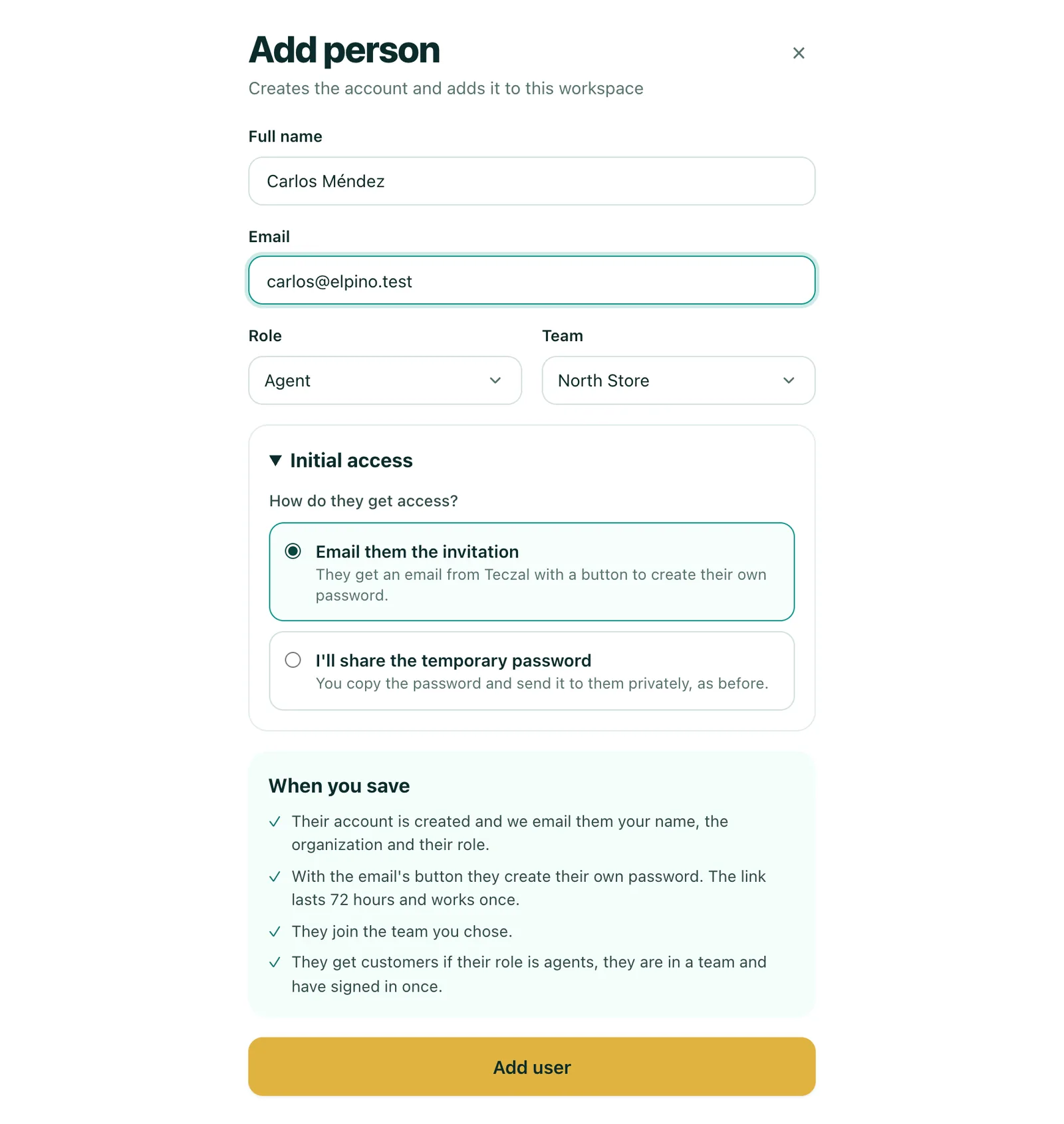
3. Choose how you give them access
In Initial access, How do they get access? has two options:
- Email them the invitation (checked by default): they get an email from Teczal with your name, the organization and their role, and a Create my password button. The link is valid for 72 hours and works once.
- I'll share the temporary password: a secure one is already filled in (you can tap Generate another or type your own, at least 10 characters long and without the person's name or email). Tap Copy and send it to them yourself, privately. They'll have to change it the first time they sign in.
Tap Add user.
4. What the person does
- With the email invitation: they tap Create my password, type it and sign in. If it doesn't arrive within a few minutes, they should check their spam folder.
- With the temporary password: they sign in to Teczal with their email and that password, and the first thing they see is Change password.
Until they sign in, Users shows that they haven't signed in yet. In their row you have Resend invitation (for example, if the link expired).
Was this guide helpful?