In this guide: 6 parts
You do it once and it takes about 5 minutes. Instagram direct messages and your Page's Messenger messages arrive in the Teczal Inbox, and from there you can also answer comments without doing it by hand.
The free trial includes one channel: Instagram or Facebook. Pick the network where people write to you most. To have both, your plan must include more than one channel (you see it in My plan).
1. Before you start, have at hand
- For Instagram: your business account as a professional account (business or creator). No Facebook Page needed.
- For Facebook: your business's Page and your Facebook profile with full control of that Page.
- A computer. The connection opens in a separate window: if your browser blocks pop-up windows, allow them.
2. Connect your Instagram
Before connecting, open the Instagram session of the account you want to connect in that same browser. Instagram connects whichever account is open, without asking: if a different one is open (your personal one or a client's), that's the one that gets connected. Check it on instagram.com and, if needed, log out and log in with your business account.
With that ready, it's very simple:
- In the menu, open Channels (if you don't see it, it's under More) and then Instagram.
- Tap Connect Instagram. Teczal asks Is your business account the one open?: tap Yes, continue.
- In the window that opens, log in with Instagram if it asks and accept the permissions.
- Come back to Teczal: it notices by itself. If it doesn't, tap I already finished.
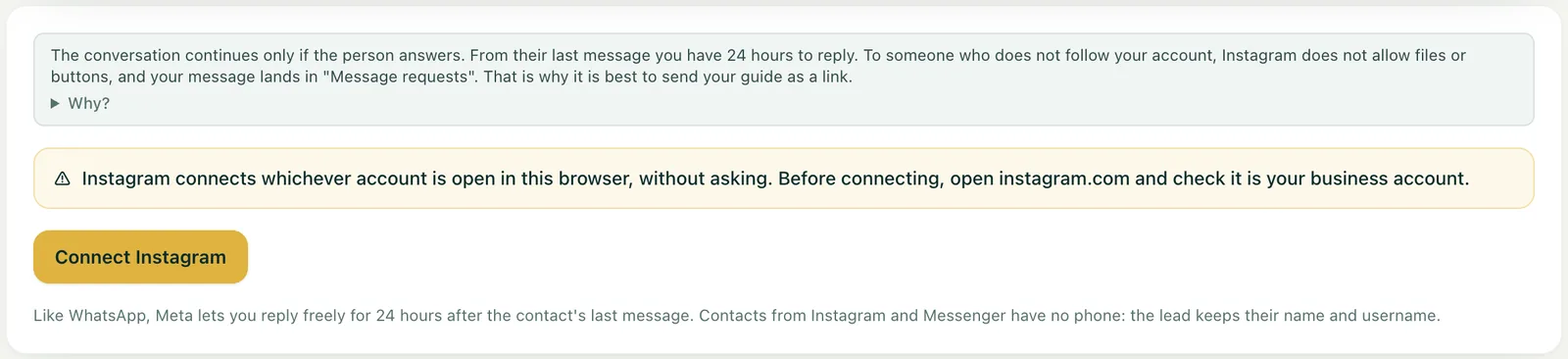
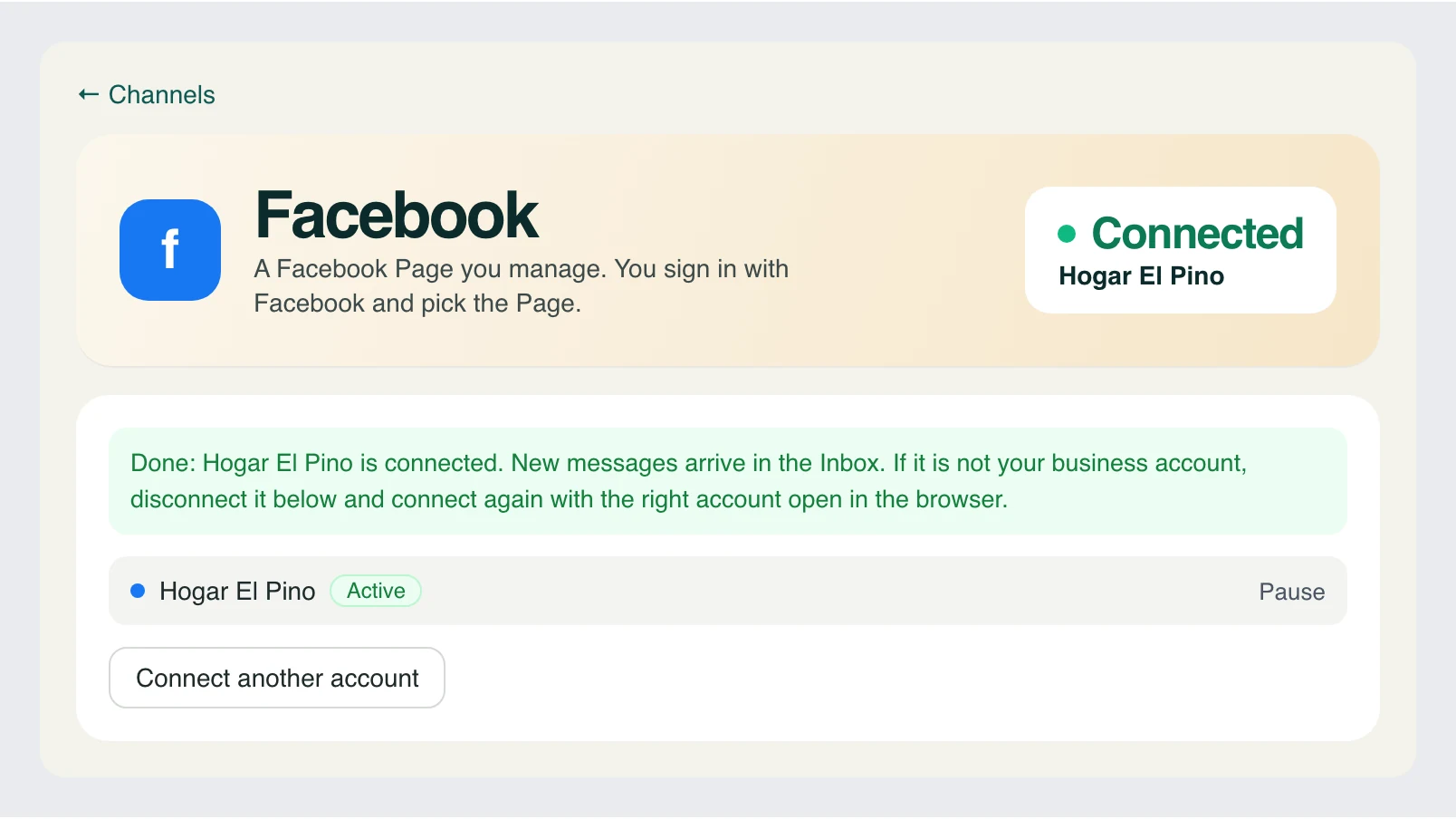
When you finish, Teczal tells you which account was connected. If it isn't your business account, disconnect it right there and connect again with the right one open in the browser.
3. Connect your Facebook
In Channels, Facebook, tap Connect Facebook. A Facebook window opens (if you don't see it, it may be behind; tap Show the window). The connection is called Social Media Connector: that's the name Facebook shows for Teczal's connection.
Facebook takes you through these screens.
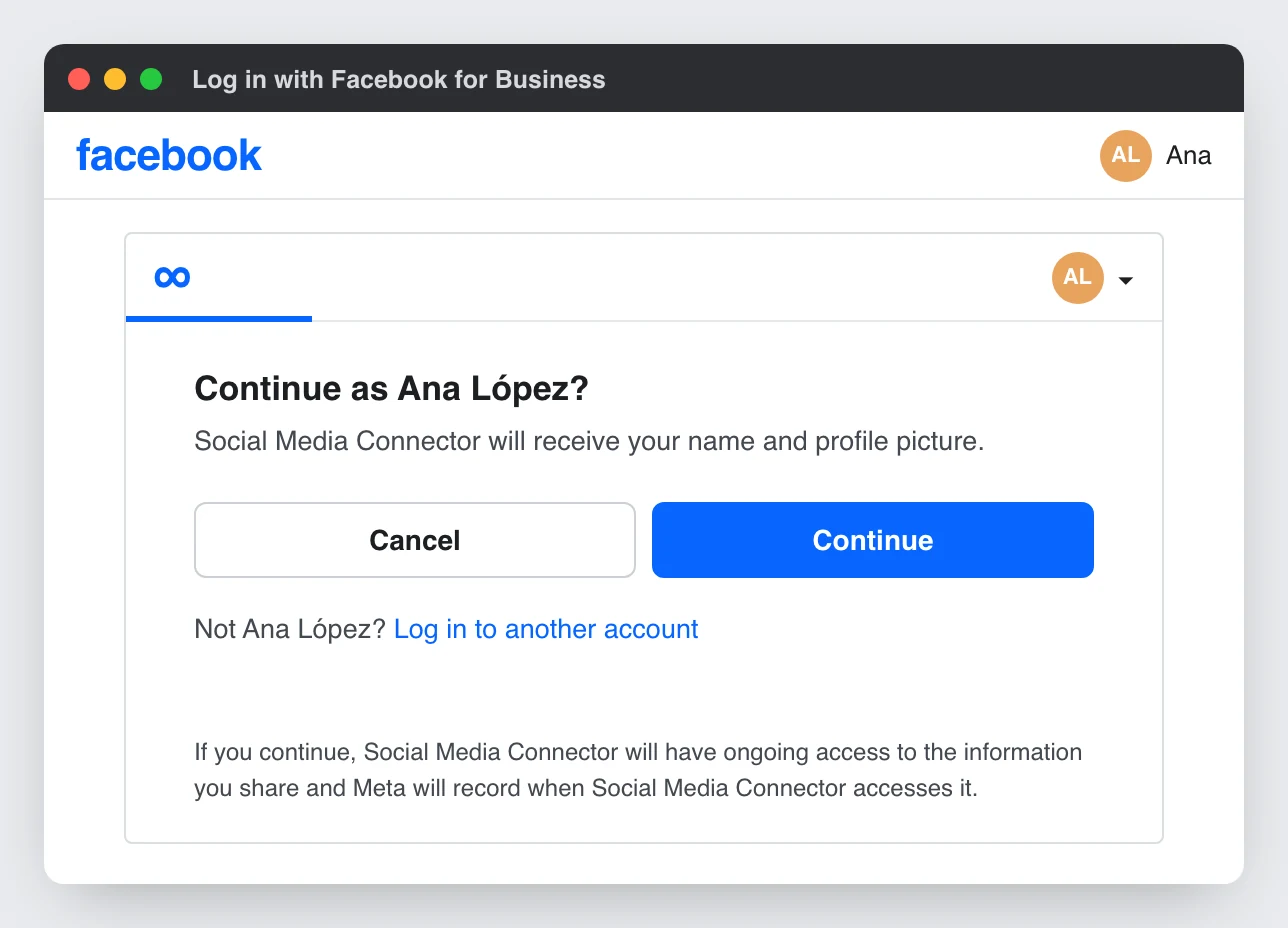
Continue with your profile
Facebook asks Continue as and your name. Tap Continue.
Does it connect my personal profile? No. You log in with your profile because it's the one that manages the Page. Only the Page you choose reaches Teczal: your posts and your personal chats don't.
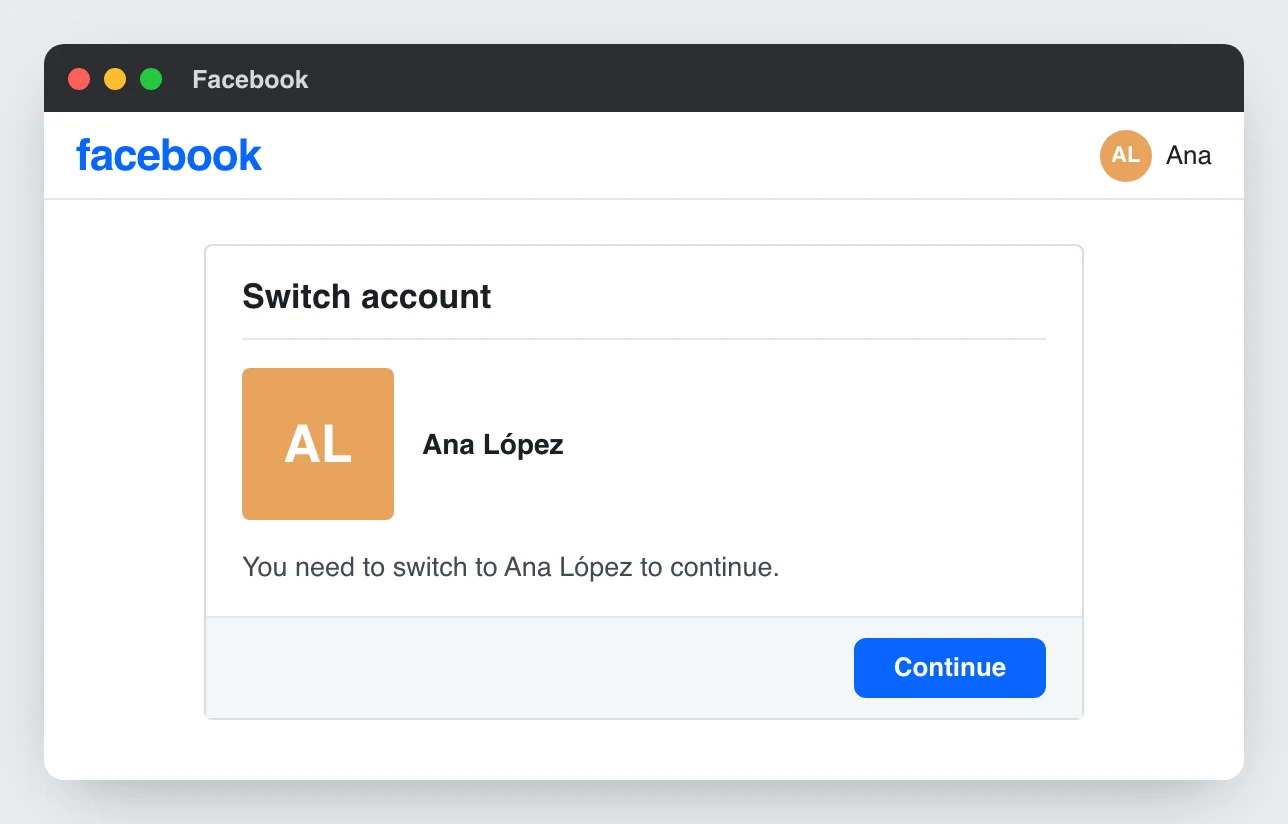
If you then see an account switch screen, tap Continue. It's normal: Facebook is just confirming which profile you're continuing with.
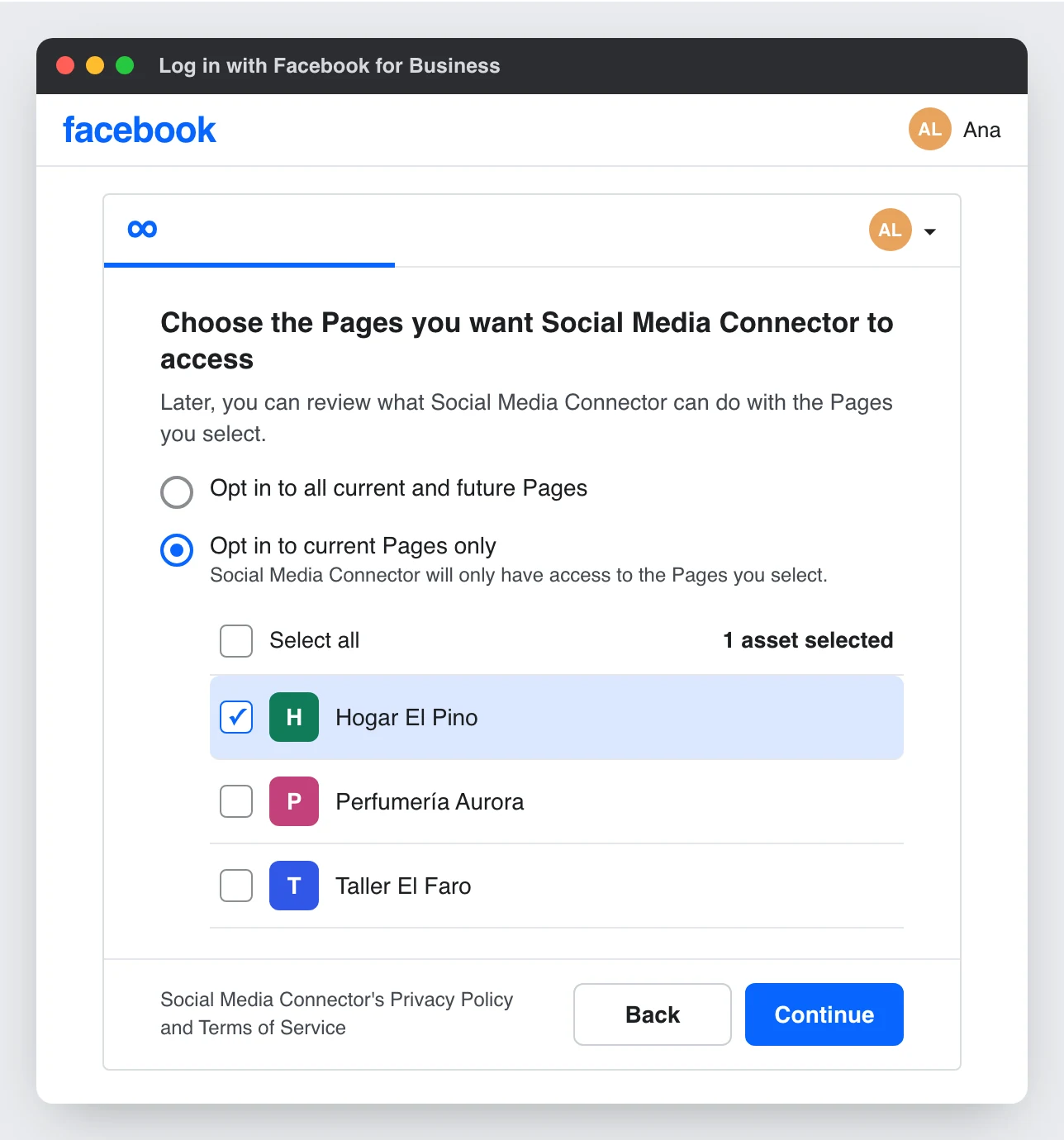
Choose your Page
Choose Opt in to current Pages only and in the list check only your business's Page. Tap Continue.
If you also manage Pages for clients or other businesses, leave them unchecked. Whatever you don't check stays out of Teczal. Your Page doesn't show up? Your profile doesn't have full control of it (see If something goes wrong).
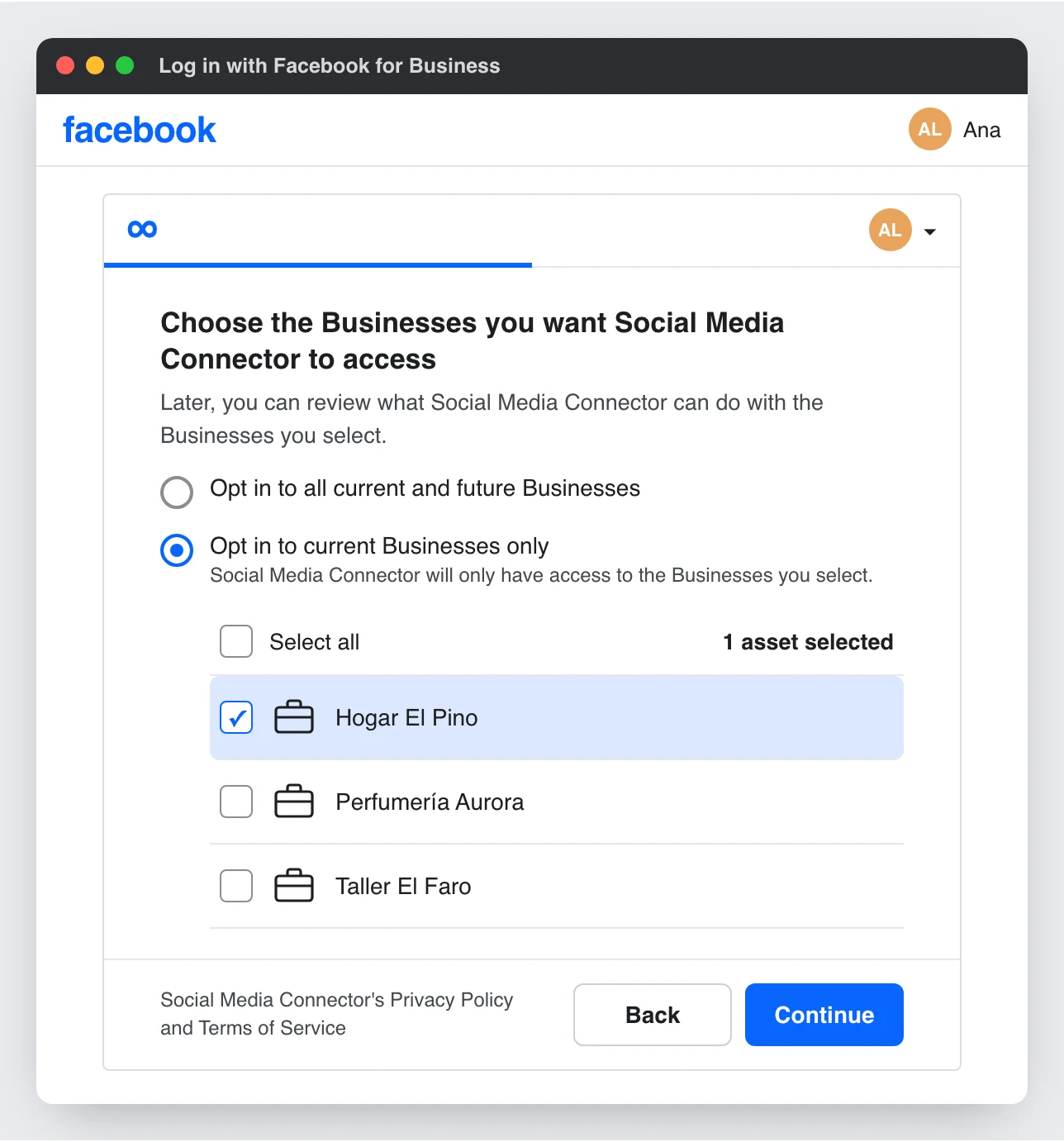
Choose your business
If your Page is in a Meta business portfolio (it used to be called Business Manager), Facebook asks you to choose it. Same as before: Opt in to current Businesses only and check only your business.
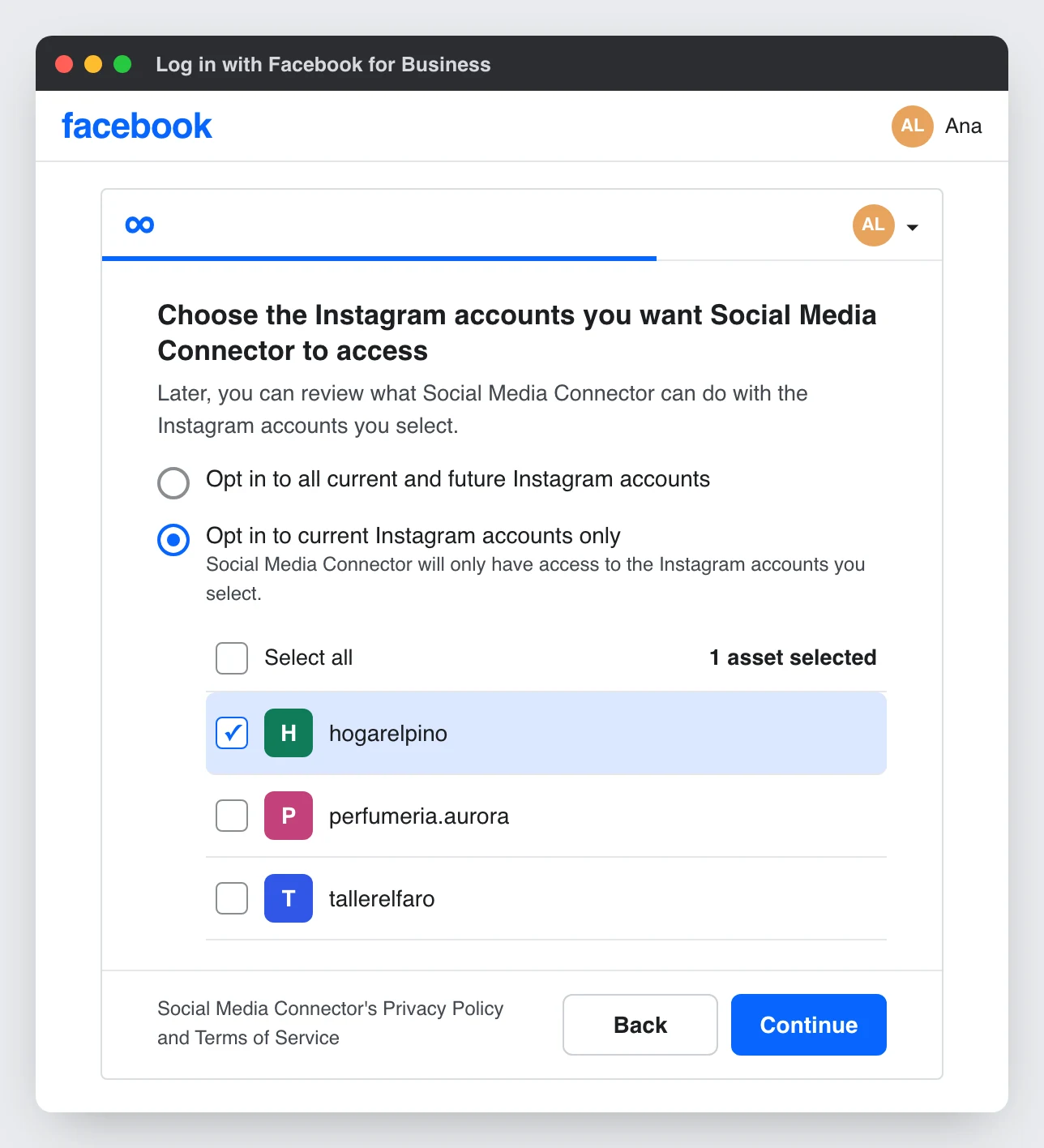
Check your Instagram account
Facebook also asks for Instagram accounts. Check your business's account even if you already connected it: Facebook asks for it along with the Page and nothing gets duplicated in Teczal. Leave the others unchecked.
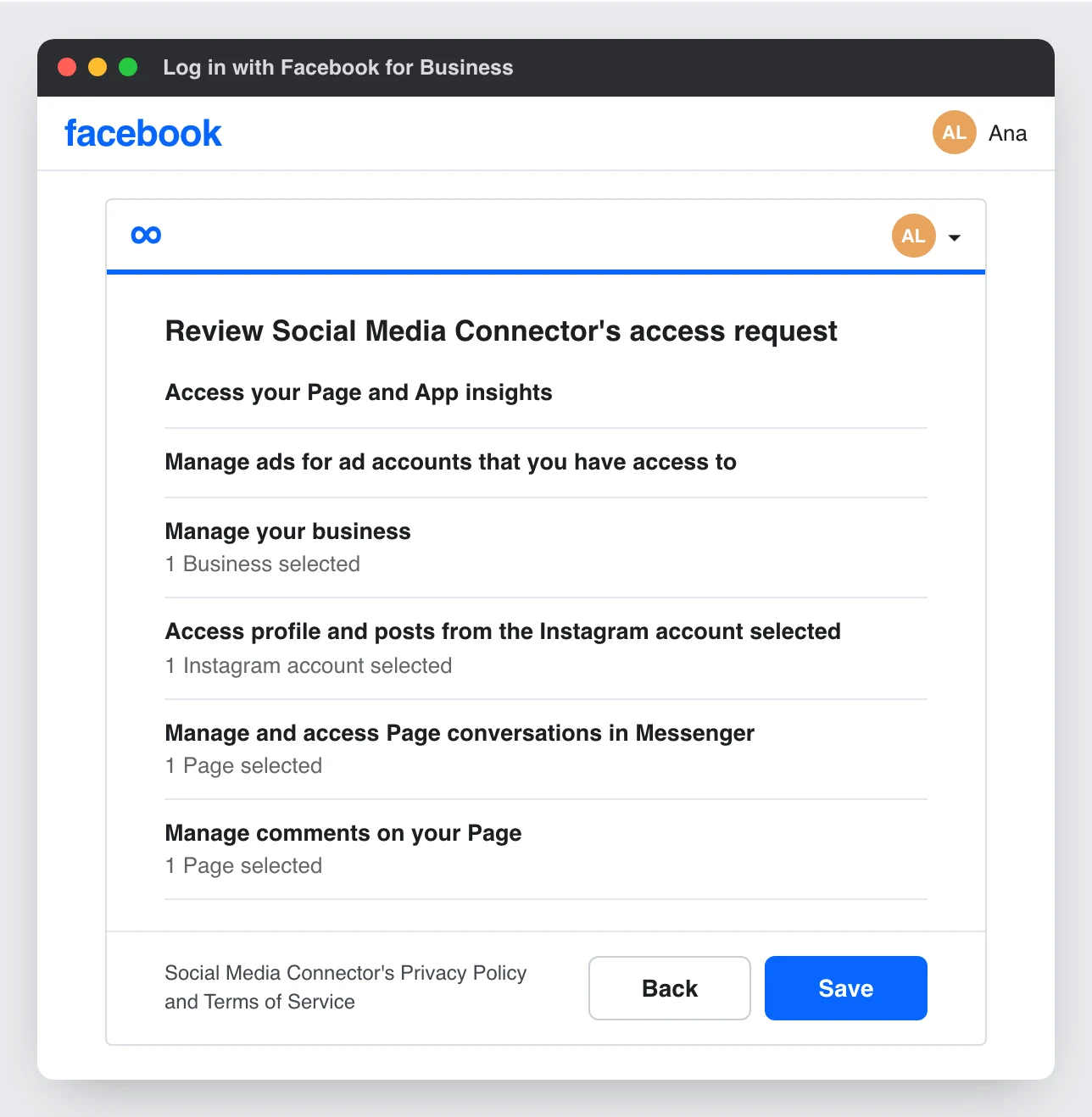
Review the permissions and tap Save
Facebook shows you what the connection asks for. Tap Save and then the button that closes the screen.
Why does it ask for ads permissions? Facebook always asks for them in this kind of connection, and they only apply to what you checked: your Page, your business and your Instagram account. Teczal doesn't publish or pay for ads for you.
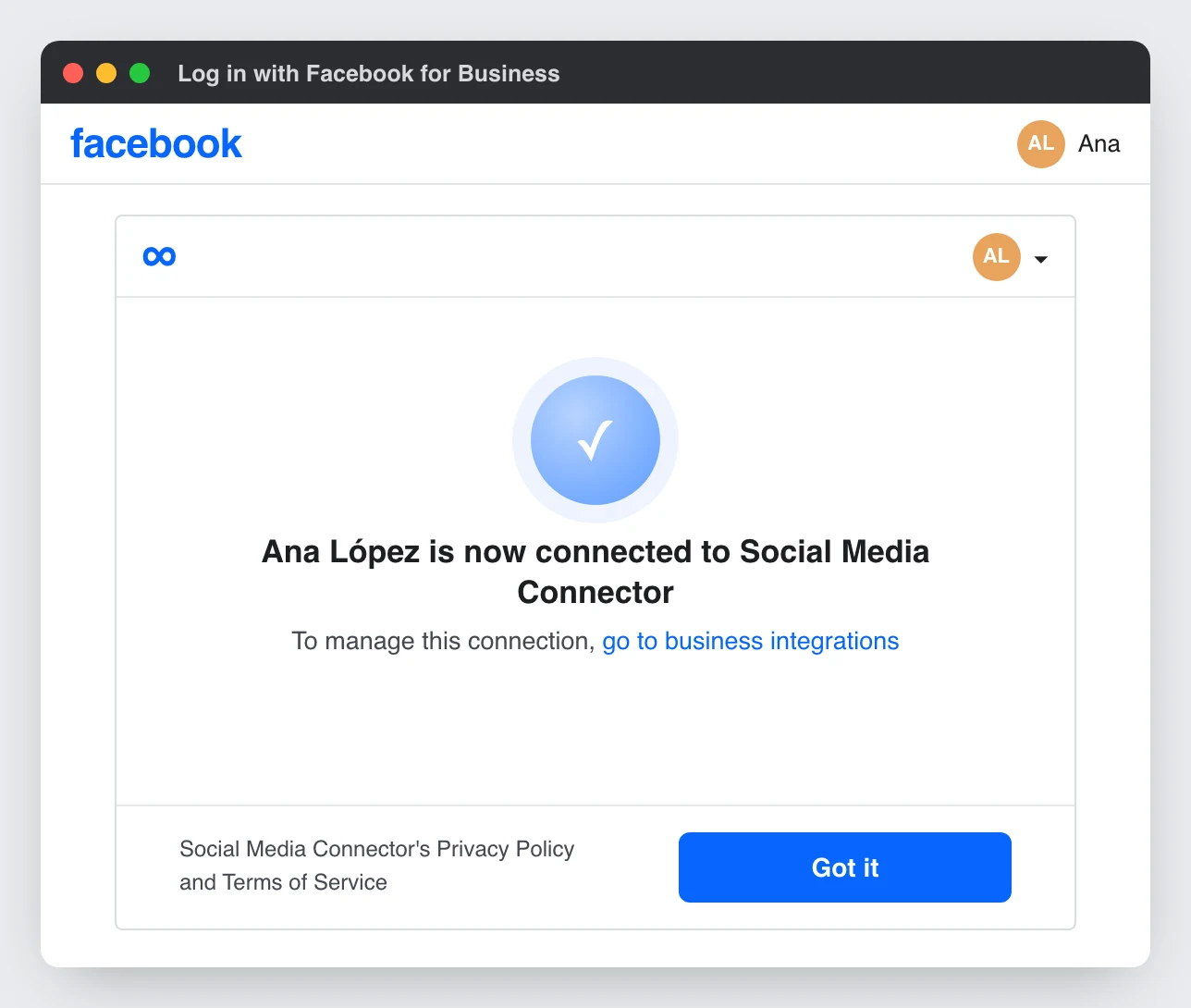
The last screen: select your Page
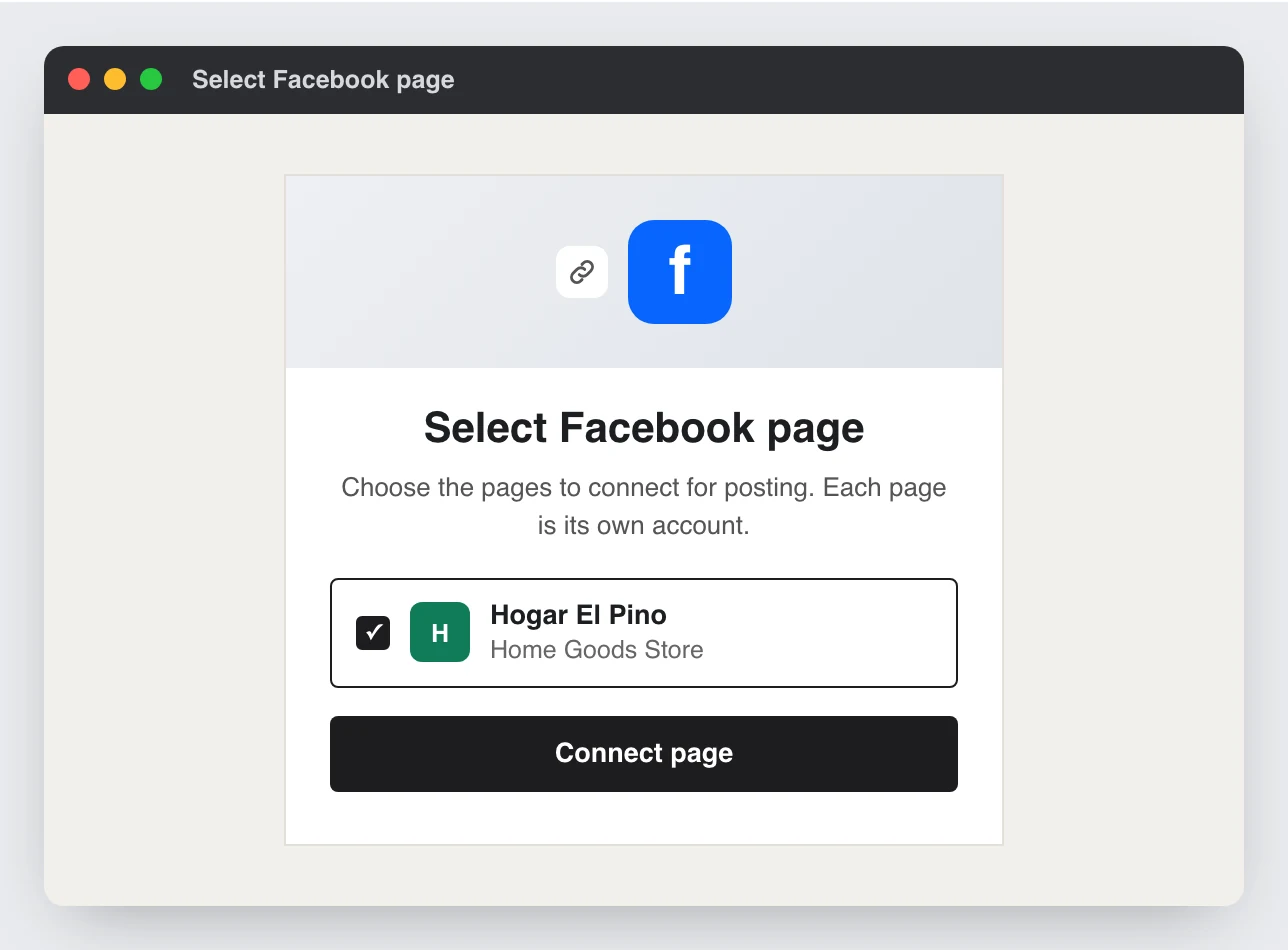
Select Facebook page opens with your Page. Check it and tap Connect page. That's the last step.
4. Done: test it
Go back to Teczal. In Channels, Facebook you see Connected with your Page's name (if it hasn't changed, tap I already finished).
Test it from another account: send your Page a message on Messenger, or a direct message to your Instagram. In seconds it shows up in the Inbox.
5. What's next: comments and the agent
- Let your comments get answered on their own: open Social comments and create your automation. We explain it in Answer Instagram and Facebook comments.
- Let the agent answer your messages: in AI agent, open Test and turn on and check Instagram or Messenger in Where it answers. Step by step in AI agent.
- Already have Instagram and Facebook? In your comments automation, Post step, change Where to Both: a single rule answers on both networks.
If something goes wrong
| What happens | What to do |
|---|---|
| My Page doesn't show up in the list. | Your profile doesn't have full control of the Page. Ask whoever manages it to give you full control, or have that person make the connection with their Facebook. |
| A different Instagram account got connected. | Instagram connects the one that was open in the browser. Disconnect it in Channels, Instagram, go to instagram.com with your business account and connect again. |
| My Instagram can't be connected. | Check it's a professional account (business or creator). You can switch it for free in the Instagram app. |
| I don't see the Facebook window. | It may be behind Teczal, or your browser blocked it. Allow pop-up windows (the icon at the right of the address bar) and tap Show the window. |
| I closed the window before finishing. | Tap Open it again. Nothing is duplicated. |
| "Your plan does not allow another channel". | The trial includes one channel. Check in My plan how many each plan includes. |
| "This account already used its free trial in Teczal". | That account already had its trial. Choose a plan in My plan to connect it. |
| "That account is already connected to another organization". | Disconnect it first in the other Teczal organization. If you don't have access, write to us. |
Still have questions? Write to us from the Teczal bubble with a screenshot of the screen where you got stuck (How to talk to us).