In this guide: 8 parts
What you'll get: someone writes to you on Instagram "how much is the Aurora Rosa perfume?" and, at any hour, your agent answers with the price and the stock from your catalog. If they want to pay, it sends them your payment details. If only a few units are left, it hands the conversation to you so you can confirm and close.
In this recipe we use a sample perfume shop. It works the same for clothes, shoes, accessories or anything that has a price and stock.
1. Load your products
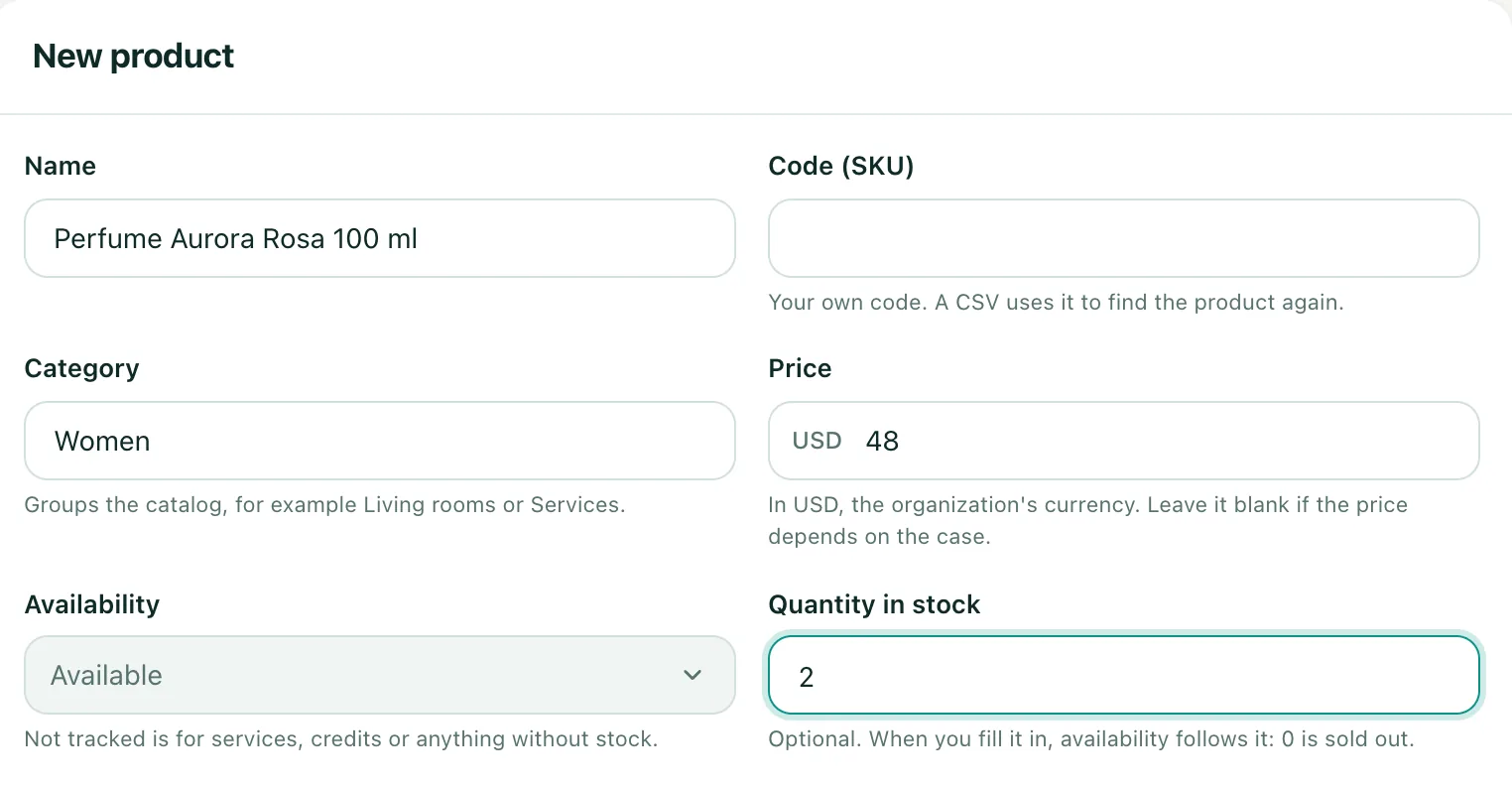
In the menu, open Products and tap Add product. Only the name is required, but to sell with the agent also fill in:
- Price: in your organization's currency.
- Quantity in stock: how many units you have. With 0, the product shows as sold out.
- Category and Code (SKU), if you use them, to find it faster.
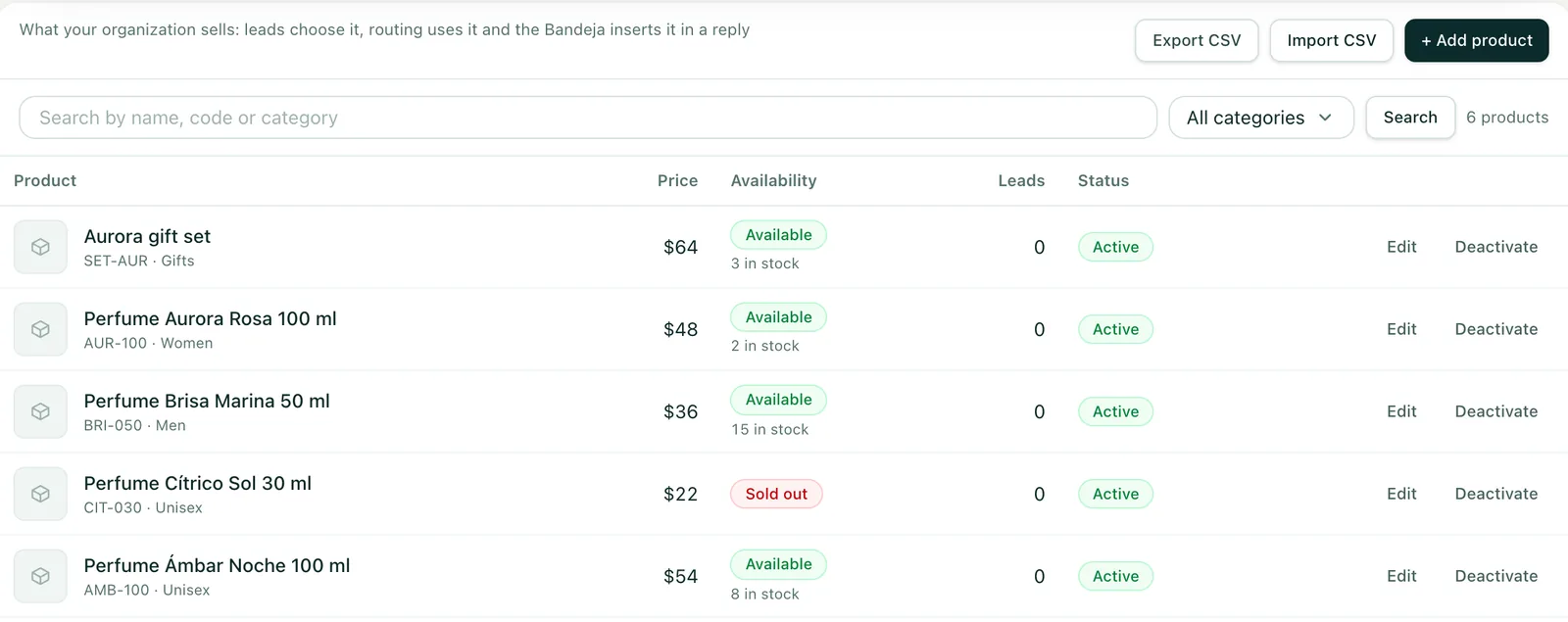
If you have a lot of them, upload them all at once with Import CSV: download the template, fill it in with Excel or Google Sheets and upload it (up to 2,000 products and 2 MB per file). Before saving you see what gets created and what changes.
2. Connect your Instagram
In the menu, open Channels and tap Connect Instagram. A separate window opens so you can sign in with your account and give permission. When the card says Connected, Instagram messages arrive in your Inbox. If you have questions, follow the steps in Your first steps in Teczal.
3. Teach the agent about your business
Go to Settings, tap AI agent and, in Your business, tell it what you sell, where you are, how you ship and how long it takes. That way it can answer what isn't in your catalog, like shipping or hours. The full step by step is in Set up your AI agent.
4. Leave Search your products on
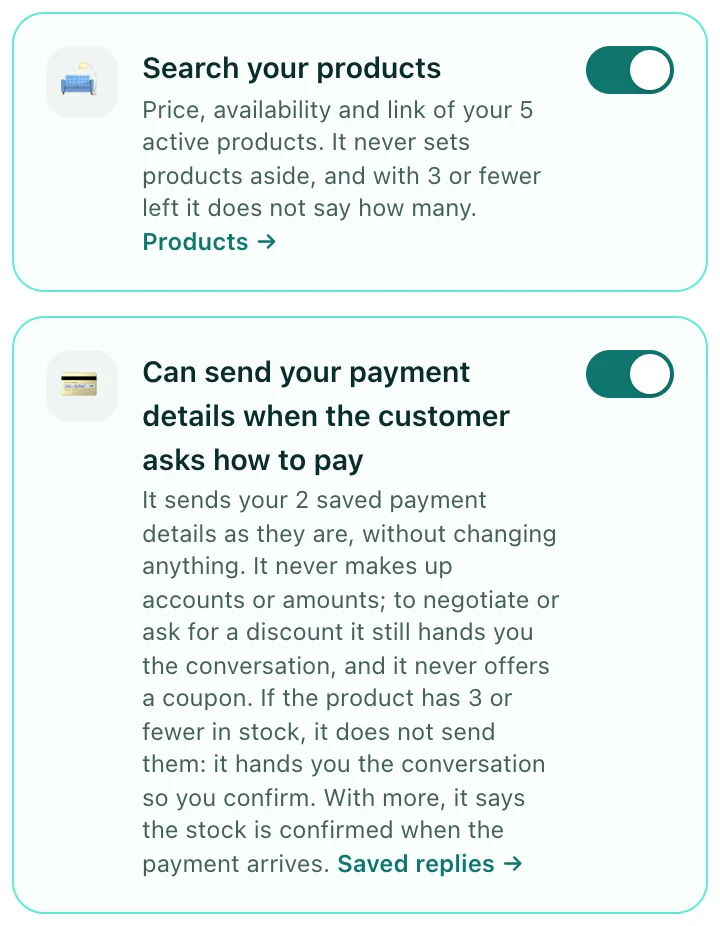
Open What it can do. Search your products comes on: with it, the agent searches your catalog before giving a price or saying whether something is in stock. It never makes up prices or stock.
If you also want it to send how to pay you, turn on Can send your payment details when the customer asks how to pay. First save your details (your account, Nequi, payment link) in Settings › Saved replies, with the type Payment details. The agent sends them exactly as they are, without changing anything.
5. How it looks after your stock: the 3 or fewer rule
Teczal reads your catalog, but it doesn't hold products or subtract stock when someone buys. That's why the agent follows this rule:
- It never promises to hold a product or says "it's yours".
- Before sending your payment details, it searches for the product again, to use the stock at that moment and not the stock from a while ago.
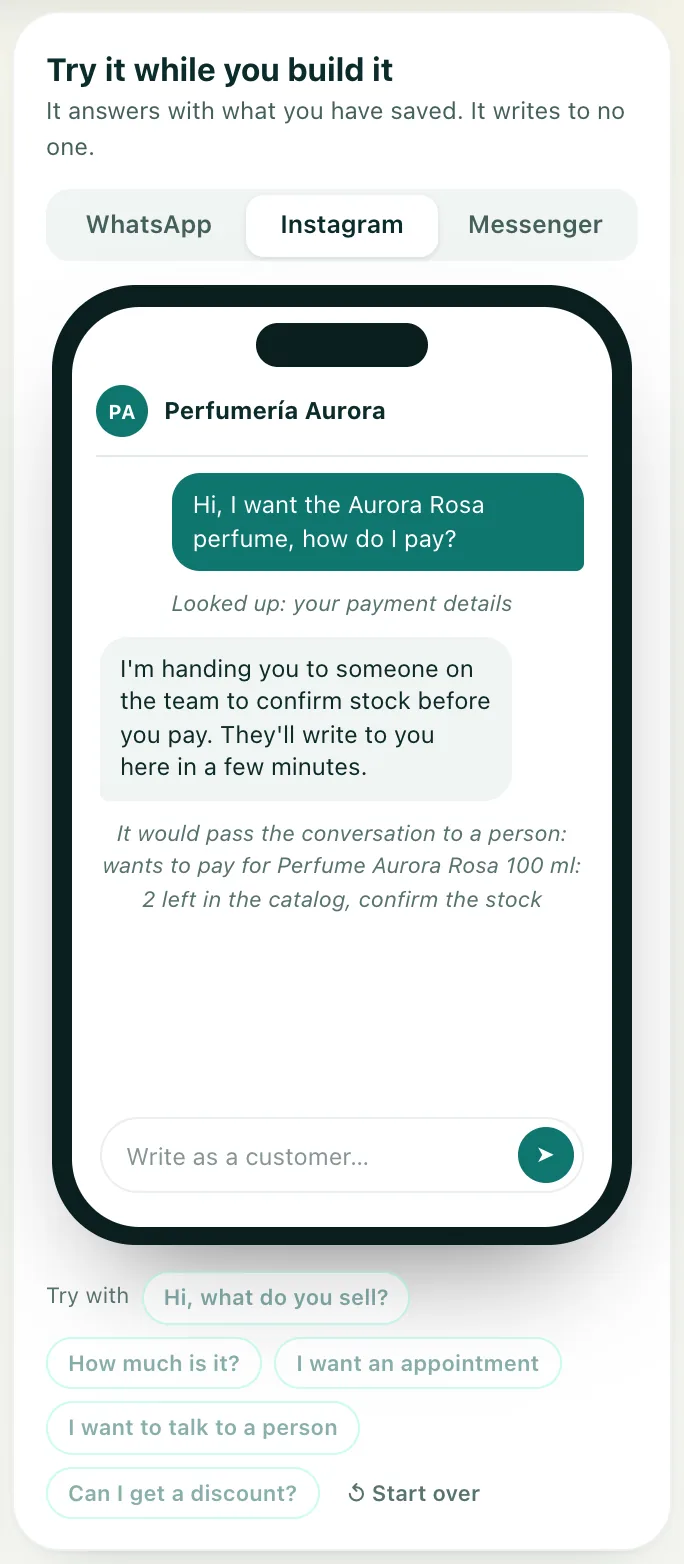
- If 3 or fewer are left, or it's sold out: it doesn't say how many are left or send your payment details. It tells the customer that someone on the team will confirm the stock and hands the conversation to you, with the reason in plain sight (for example, "wants to pay for Perfume Aurora Rosa 100 ml: 2 left in the catalog, confirm the stock").
- If more than 3 are left: it sends your payment details and lets them know the stock is confirmed when the payment comes in.
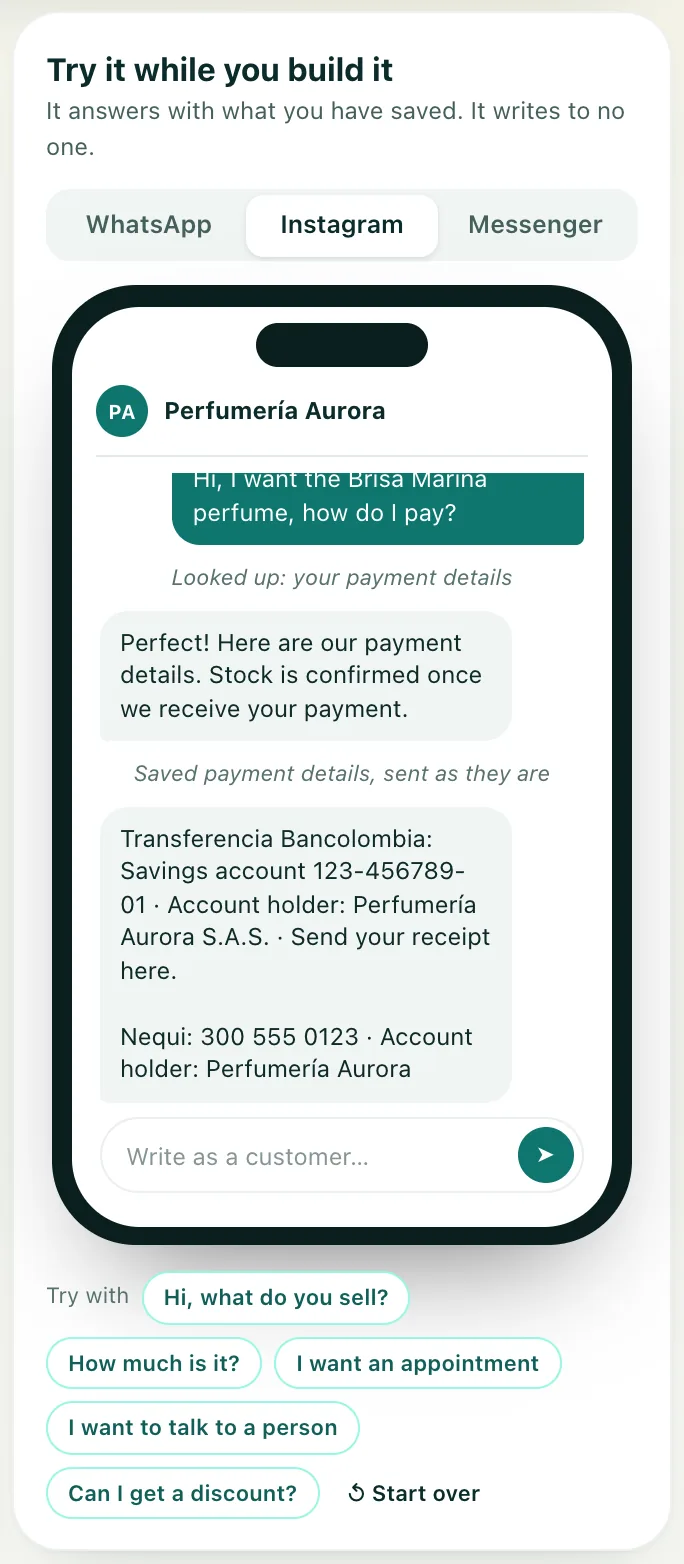
6. Try it before you turn it on
In Try it while you build it, choose Instagram and write to it as your customer: "I want the Aurora Rosa perfume, how do I pay you?". Try a product with only a few units and another with more, to see both cases. Nothing you write there reaches anyone.
When you like it, open Test and turn on, check Instagram in Where it answers and tap Turn on the agent.
7. Close the sale yourself
When the agent hands you a conversation, you find it in the Inbox and the reason stays on the lead's timeline. To find out right away, follow the recipe Find out the moment each lead comes in. Check the real stock, confirm with the customer and close the sale right there. When the customer sends their receipt, the agent also hands it to you so you can check it yourself.
8. Keep your catalog up to date
Every time you sell, lower the product's quantity (tap Edit) or upload your CSV again with the new quantities. The more up to date your catalog is, the better the agent answers.
What Teczal doesn't do: it doesn't charge or take orders online, it doesn't hold products and it doesn't subtract stock on its own. If two people want the last perfume at the same time, you're the one who confirms: that's why, with 3 or fewer, the agent always hands you the conversation before sending your payment details.