In this guide: 6 parts
1. Find the lead in the pipeline
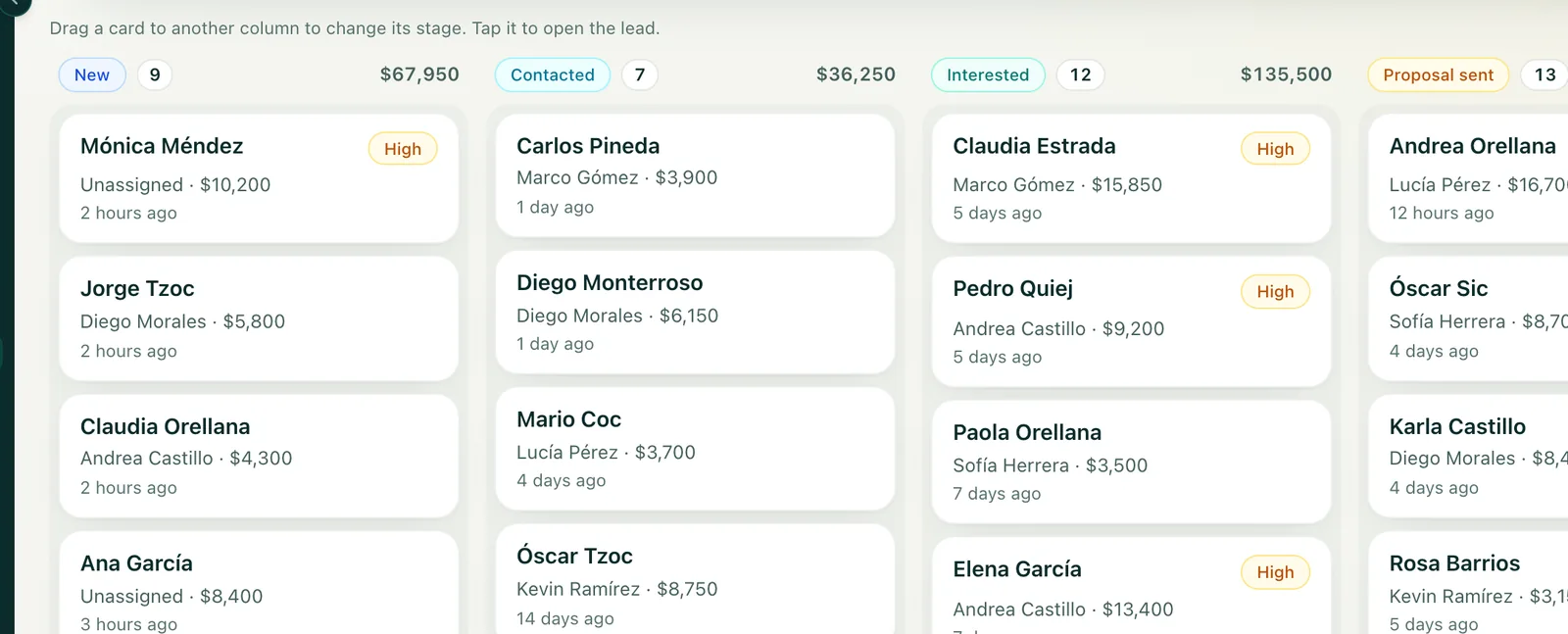
Open Pipeline: you see your leads in columns, one per stage, with the amount of each column. Tap a card to open the lead. You can also drag it to another column to change its stage.
2. Read its page
At the top you see where it came from, its stage and its details: phone, email, municipality, product and amount. From there you write to them with Reply in the WhatsApp Inbox, Personal WhatsApp or Call.
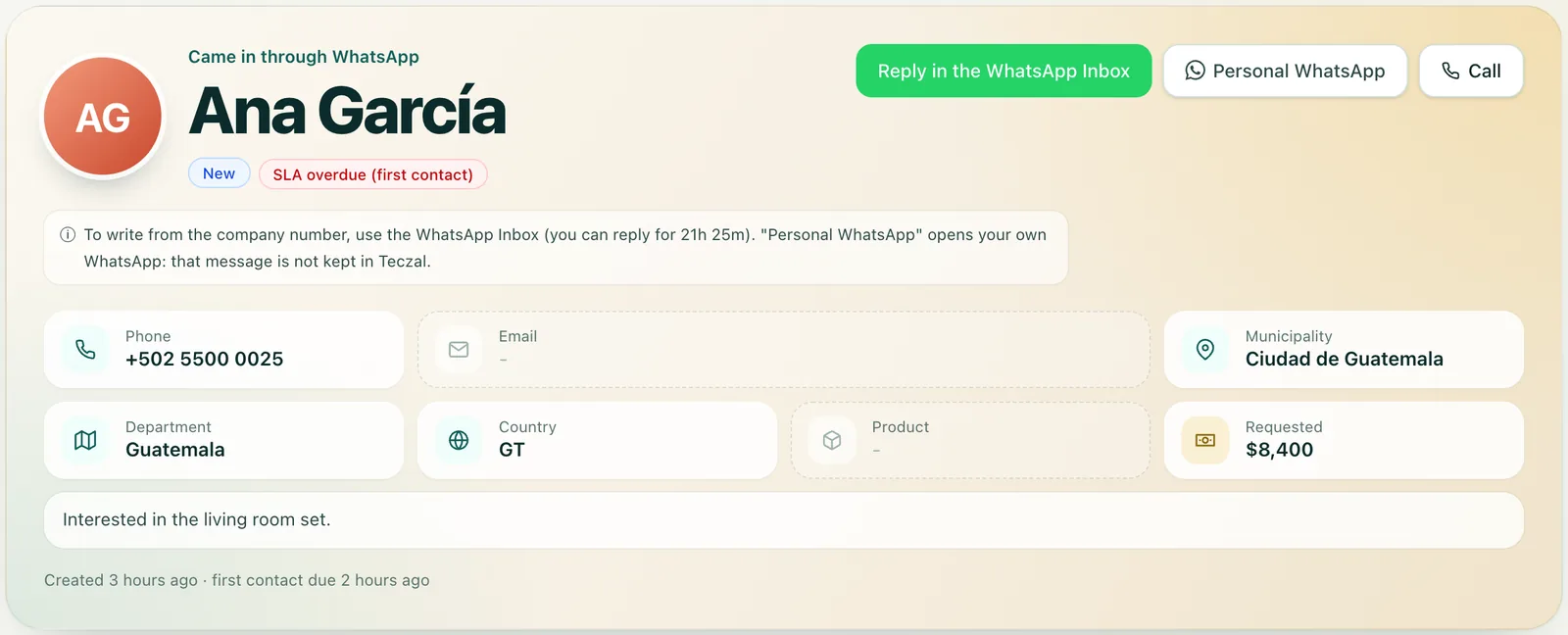
Personal WhatsApp opens your own WhatsApp: that message doesn't stay in Teczal. To keep it in the history, use the Inbox.
3. Log the contact
After talking to the customer, in Log contact choose the Channel (WhatsApp, call, SMS, email, visit or other), write what they told you in Note (optional) and tap Log contact.
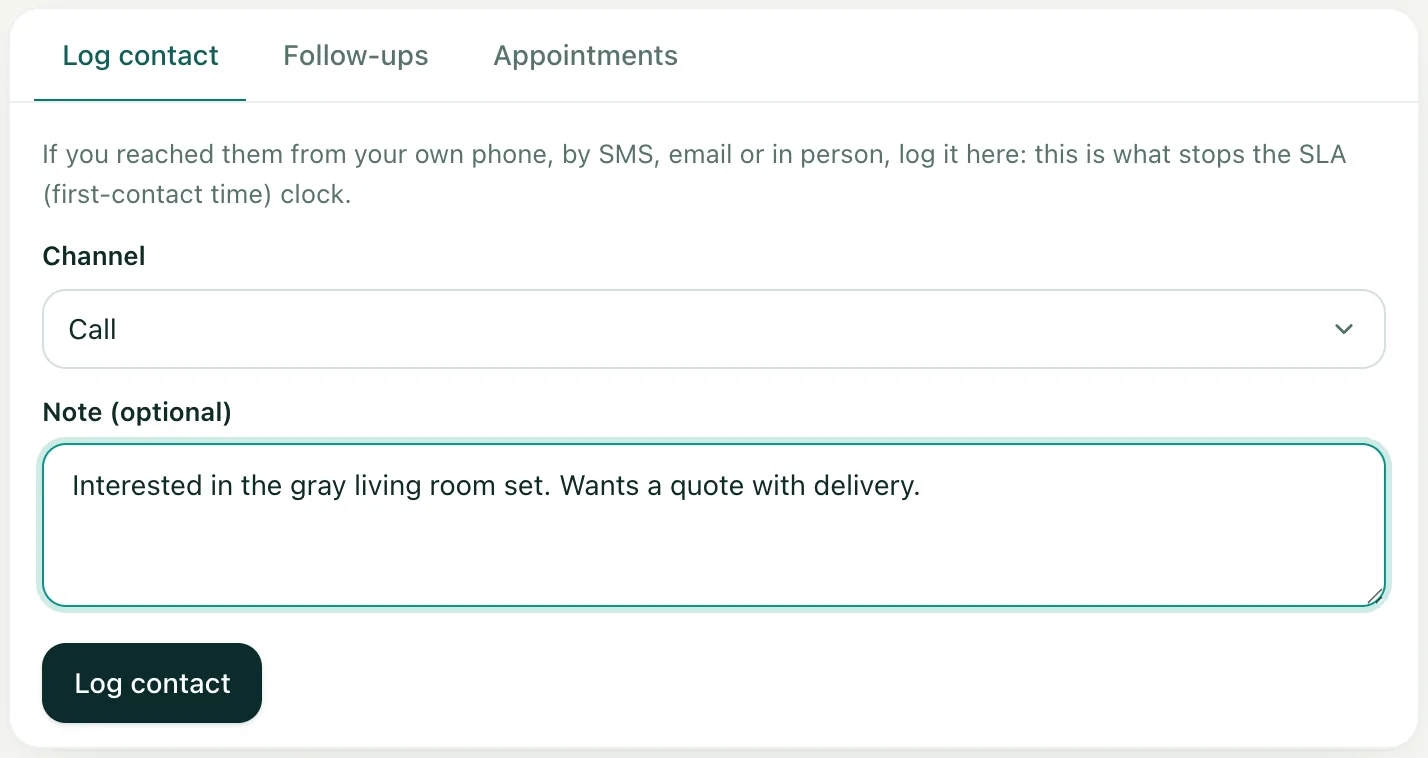
This is what stops the first-contact clock (the SLA). If you reply from the Inbox, it counts on its own.
4. Change the stage
In Sales stage tap the stage it moves to, for example Interested. If you like, write the Reason (optional) and confirm with Move to Interested.
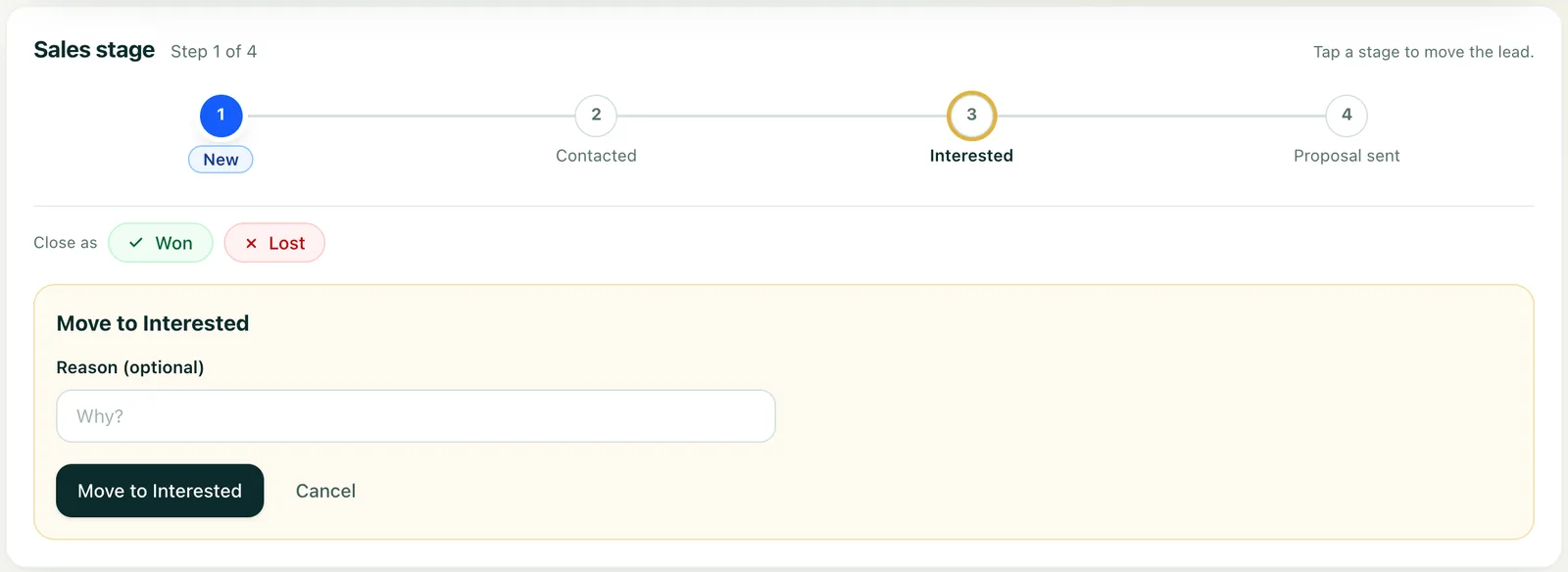
When the lead is done, use Close as: Won or Lost.
5. Schedule the follow-up
Every open lead needs a next action. In Follow-ups choose the date and time, the type (call, WhatsApp, email, meeting or other), a note if you want, and tap Schedule.
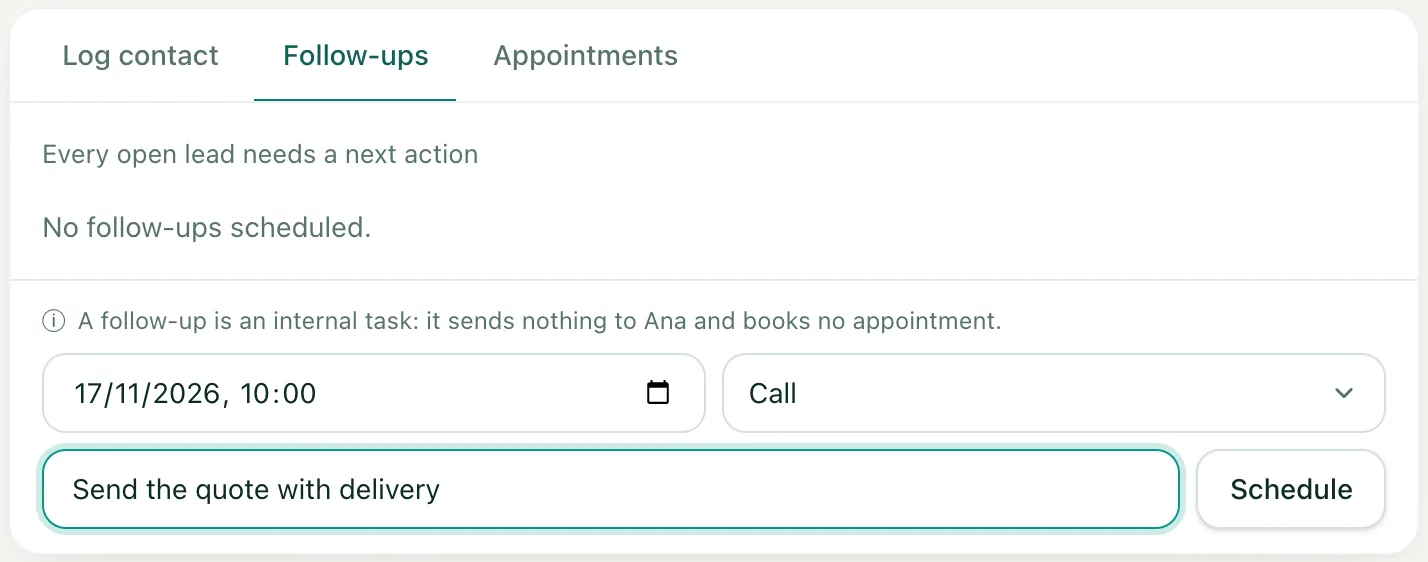
A follow-up is an internal task: it doesn't send anything to the customer. If you're going to meet with them, use Appointments and Schedule.
6. Leave a note
In the Timeline write in Add a note… and tap Add. Your team sees it, never the customer.
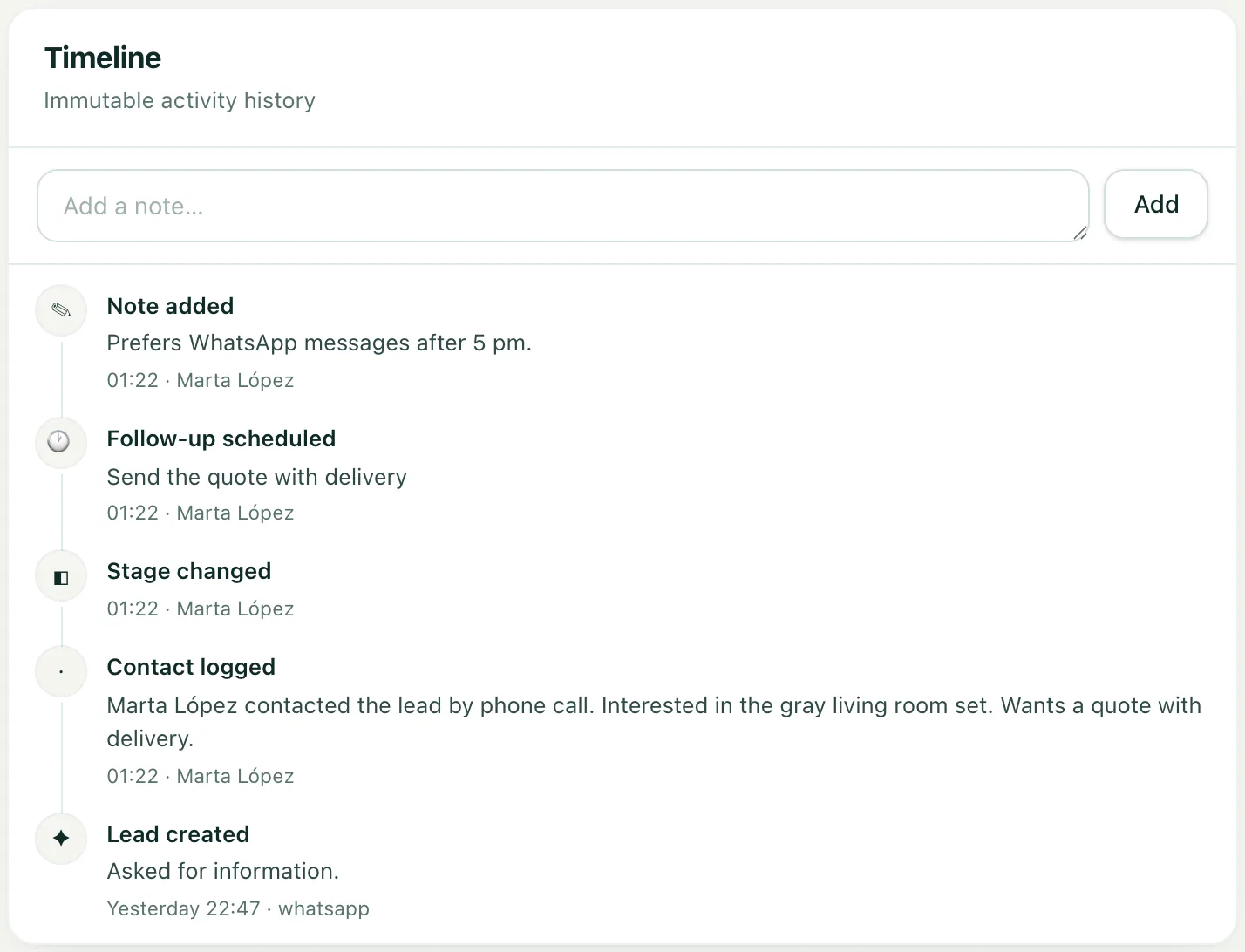
Everything that happens with the lead stays there with the date, the time and who did it. Nothing is deleted.